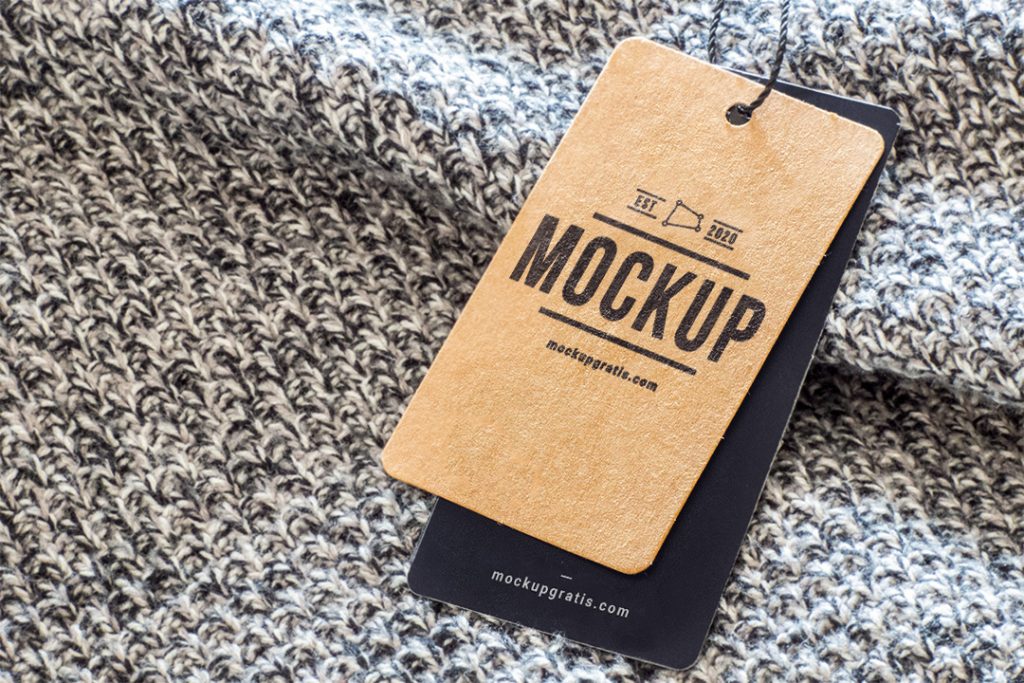
Today we’re sharing a new resource for your branding and visual identity projects: a clothing brand mockup with two overlapping paper tags you can edit independently. This mockup was designed from a high-resolution photograph and includes several smart objects to place your logo design on both tags. It’s a perfect resource if you’re working on a project for a fashion brand and want to show the client how their brand will look printed on this widely used, essential piece.
As always, once you’ve unzipped the file, open the PSD in Adobe Photoshop or compatible software and replace the content of the smart objects with your design.
- Format: Adobe Photoshop CC (.psd)
- Dimensions: 3000x2000px 300dpi
- Price: Free
What do you think? Don’t forget to share your opinion in the comments :D
For clothing brands and fashion stores
Hanging clothing tags (hang tags) are one of the first things a shopper sees. With this mockup you can show your client how their logo, the price or the fabric details will look before sending anything to print.
Two tags, two designs
The PSD includes two overlapping tags, each with its own smart object. Use one for the logo and the other for the garment information, or try two versions of the same tag and compare which works better.
Format and resolution
3000 x 2000 px PSD at 300 dpi, made from a real photograph. Open it in Photoshop or a compatible program and replace the content of the smart objects with your design.