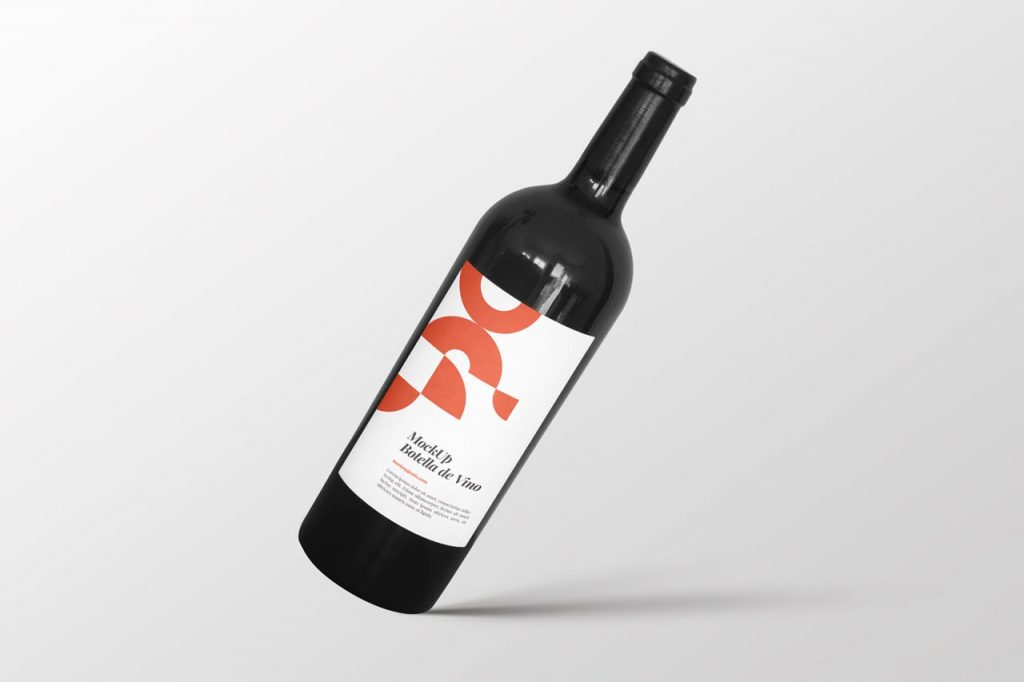
Here’s a new, completely free PSD mockup of a wine bottle, built from a photograph. It’s a very easy-to-use resource that you can customize for your projects in just a couple of clicks. A photorealistic way to present your work if you’re designing a wine label. Remember to open the PSD file in Adobe Photoshop or similar software and replace the content of the smart object with your design.
And if you liked it, don’t forget to leave us a comment below and check out our list of food and drink mockups. Cheers!
- Format: Adobe Photoshop CC (.psd)
- Dimensions: 3000x2000px 300dpi
- Price: Free
A photorealistic mockup for wine labels
If you’re designing a wine label, this wine label mockup lets you present it on a real bottle, built from a photograph. It’s a quick way for the winery or client to see the final result before printing. For a minimalist version, try the wine bottle mockup.
How to change the label
Open the PSD in Photoshop or a compatible program, find the smart object in the Layers panel and replace its content with your design. In a couple of clicks you’ll have the label in place with the bottle’s lighting and shape.
File details
3000 x 2000 px PSD at 300 dpi, free for personal and commercial use.